Safety gear
Reverse Parking Cameras vs Sensors: A Fitment Guide
By Samveg Jain · Updated 22 October 2026 · 6 min read
Some links on this site may be affiliate links. If you buy through them we may earn a commission, at no extra cost to you. It never changes what we recommend. How this works.
Quick answer
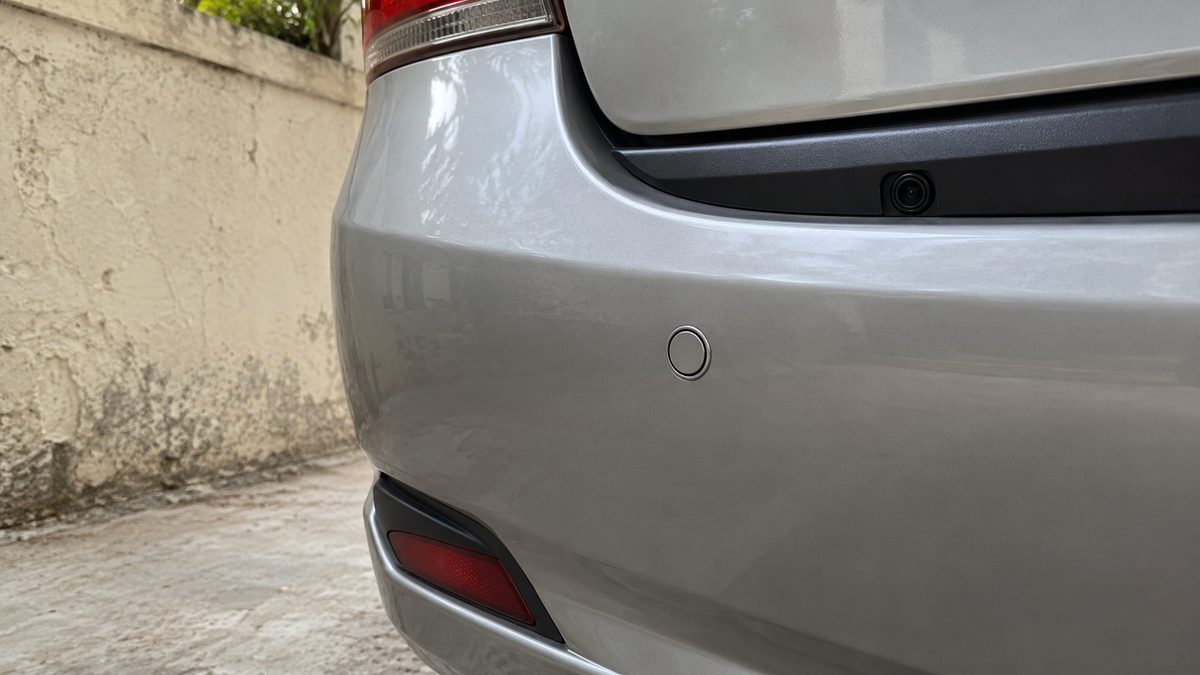
Sensors give proximity alerts while a camera shows a limited rear view. Choose by vehicle compatibility and a careful installation, and continue checking directly around the car because either system can miss people and obstacles.
Parking sensors provide proximity alerts; a reversing camera shows part of the area behind the car. A combined system can offer both kinds of information, but neither replaces mirrors, direct observation and slow manoeuvring. Buy around the car's compatibility, reliable installation and the system's stated limits rather than screen size alone.
Choose the information you need while reversing
Sensors may suit a driver who wants audible warnings without another display. Check how alerts change as an obstacle approaches and whether the sound is easy to hear in your cabin. Ask where the system detects and where it does not. A louder alarm is not necessarily more useful if it is unclear which part of the car is near an obstacle.
A camera can help you see objects within its field of view and judge the general layout of a parking space. However, a wide-angle image can distort distance and hide areas outside the frame. A camera does not show every corner of the vehicle or guarantee that a child, animal or low obstruction will remain visible as you move.
Review the car before selecting a kit
Check whether the vehicle already has parking equipment or an approved retrofit option. Existing displays, wiring and control modules may require a compatible interface, while some modifications can affect warranty support. Read the vehicle handbook and the equipment maker's application information. Have the installer explain which existing functions will remain available after the work is complete.
Look at the rear bumper, number-plate area, spare-wheel carrier and tow equipment if present. These affect mounting position and may create obstructions or unwanted alerts. Do not accept drilling before the installer verifies the correct sensor spacing, orientation and permitted mounting surfaces. Replacement body parts or past repairs can also change what fits properly.
Treat wiring quality as part of the purchase
A wired camera needs a safe route for power and video wiring through the car. The installer should protect cables from sharp edges, heat, water and moving hinges, using proper connections and sealing any body entry points. Loose cable tucked beneath a seal can cause leakage or damage later even if the image looks fine at handover.
A wireless video link still needs power, and it can have interference or delay limits. Ask how reverse activation works, what happens if the signal drops and whether the display makes a frozen or missing image obvious. Avoid systems whose only convincing demonstration is a static picture on a shop counter. Assess the complete installed system under realistic conditions.
Put the display where it preserves the driving view
Choose a display position that does not obstruct the driver's view, controls or airbag deployment areas. Confirm that any mirror-mounted display allows the normal rear-view mirror to function properly. Cables must be secured without crossing controls or becoming loose near the driver's feet. The handbook and a competent installer should guide placement before adhesive mounts are fixed.
Our mounting-position guide covers similar visibility questions for phone holders. The accessories-to-avoid guide is also useful when comparing large dashboard screens. A bigger display offers little benefit if it creates a blind area ahead or distracts the driver during ordinary forward travel.
Ask for this installation handover test
- With the vehicle safely secured, confirm the system activates as intended and that other vehicle functions still operate normally. The image or alerts should be ready when needed, without an unexplained delay or repeated restarting.
- Ask the installer to demonstrate the detection area with suitable stationary test objects in a controlled space. Keep people clear of the vehicle's path; never use a person standing behind a moving car as a test target.
- Check image orientation, guide lines and the visible edges of the car where appropriate. A mirrored or rotated picture must be corrected before use, and guide-line behaviour should match the instructions rather than an assumption.
- Assess the camera in the lighting conditions that matter to you. Examine detail, glare and screen reflections without accepting a bright showroom image as proof of useful performance in a dim parking area.
- Confirm sensor alert volume and any fault indication. Ask what an intermittent beep, blank display or continuous alarm means, and keep the instructions and installation details so future faults can be investigated.
Understand dirt, rain and difficult targets
A dirty camera lens can make the image misleading, especially with lamps shining towards it. Clean it gently using an approved method and inspect it before reversing. Sensor surfaces also need to remain clear as instructed. Do not paint sensors, attach trim over them or apply chemical treatments unless the maker explicitly approves the process.
Thin posts, low kerbs, soft surfaces and angled objects can be difficult for some sensor systems to detect. Cameras have their own blind areas and may lose useful detail in darkness or glare. If the system behaves inconsistently, stop and investigate. Absence of an alert is never evidence that the space behind the car is clear.
Review performance after body repairs
Have the parking system checked after bumper removal, repainting, tailgate repairs or changes to rear accessories. A camera angle can shift while still producing a clear picture, and a sensor can be refitted in the wrong orientation. Tell the repairer about aftermarket equipment before work begins. Check the display and warning behaviour again in a controlled setting after collection. If the system starts warning constantly or misses the same test object it detected before, arrange inspection rather than treating the change as a harmless consequence of the repair.
Keep observation ahead of the accessory
Walk around the car before reversing when practical, especially where children or pets may be nearby. Recheck as circumstances change, use mirrors and direct views, and stop if you cannot establish a clear path. A helper should remain in a safe visible position with agreed signals; stop immediately if you lose sight of them or communication becomes uncertain.
A recording camera serves a different purpose and does not remove these checks. Follow the vehicle handbook and the parking-system maker's instructions, and check the current rules where you drive through official sources. Treat installation faults as repair work, not a reason to develop workarounds while reversing in a crowded space.
What to look for when you buy
Rear parking sensor kit
Vehicle-compatible mounting, clear alerts and documented detection limits.
Reversing camera system
A usable rear view, compatible display and reliable reverse activation.
Professional installation service
A documented wiring plan, weather sealing and a controlled handover test.
Frequently asked questions
Can I trust guide lines as exact wheel paths?
Only use them as described by the system maker. Some are fixed overlays, and installation or calibration can affect their relationship to the car.
Will every small obstacle trigger a sensor?
No. Shape, position and material affect detection, and there may be blind areas close to the vehicle.
Can an existing display accept any camera?
No. Check supported signal format, power requirements, connectors and vehicle integration before buying.
Can a dash cam replace a reversing camera?
A recording camera may not provide the correct live view, activation or installation for reversing. Use equipment specifically intended and approved for that role.
More guides
Safety gear
Car Safety Around Firecrackers: Parking for Diwali
A practical parking and inspection plan for Indian car owners before and after Diwali celebrations.
Safety gear
Night Driving Checklist: Lights, Glare, Fatigue and Kit
Prepare for an evening drive with checks for lights, glass, mirror glare, fatigue and breakdown equipment, plus clear reasons to delay.
Safety gear
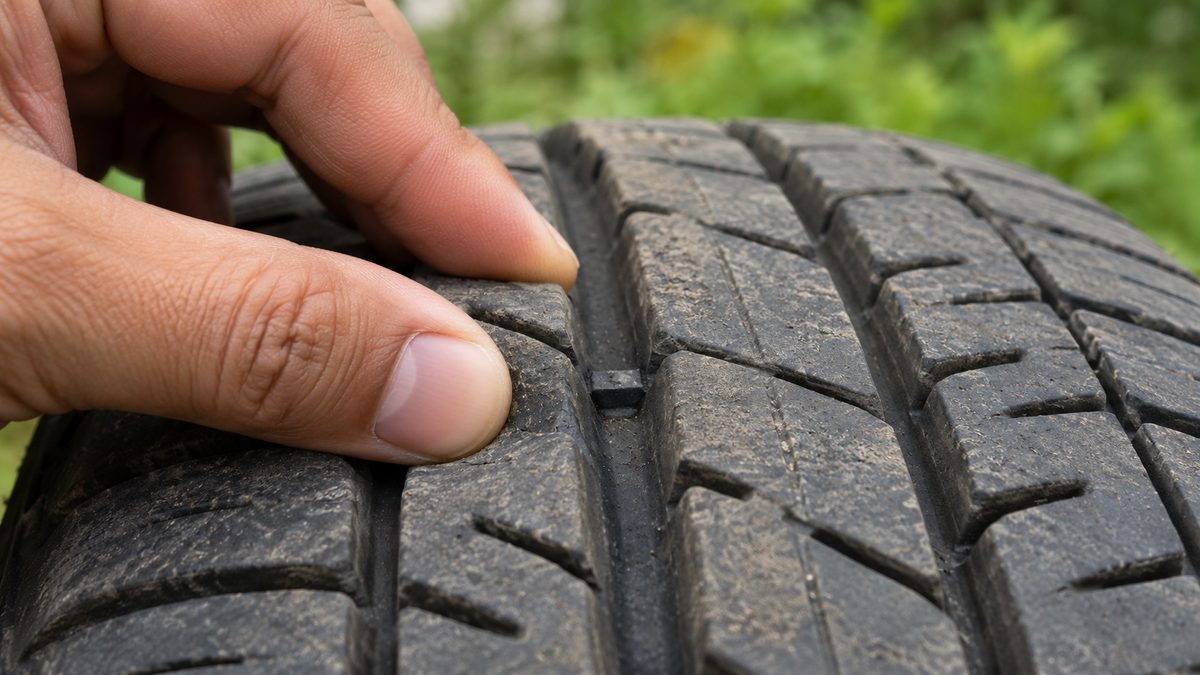
Tyre Tread Depth: Check Wear Before Buying Replacements
Inspect tread grooves, wear indicators and uneven wear before choosing replacement tyres. Know when a professional inspection cannot wait.